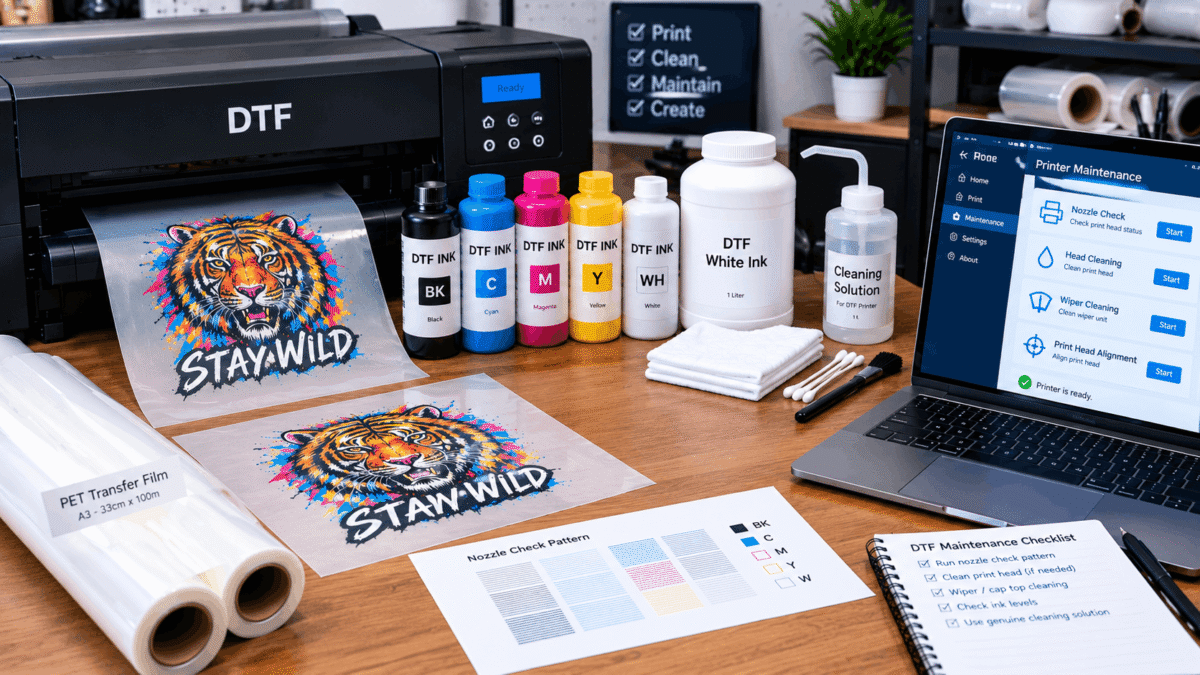
A consistent DTF printer maintenance routine helps small print shops keep their equipment ready for production and identify problems before they affect a large batch of transfers. Direct-to-film printing involves ink, transfer film, printheads, RIP software, adhesive powder, and heat-transfer equipment, so printer care should be treated as part of the overall production workflow.
The exact maintenance requirements vary by printer model and ink system. However, a practical routine generally involves checking print quality, monitoring ink flow, keeping the equipment clean, and following the manufacturer’s recommended procedures.
Why DTF Printer Maintenance Matters
DTF printers rely on precise ink delivery to produce detailed transfers. A problem with the printhead, ink system, or consumables can appear as missing lines, uneven colors, banding, or inconsistent white-ink coverage.
Regular maintenance can also make troubleshooting easier. When the machine is checked consistently, an operator has a better idea of what changed when print quality suddenly deteriorates.
For a small shop, this matters because a printer problem can interrupt more than one task. Production may also depend on transfer film preparation, powder application, curing, heat pressing, packaging, and customer deadlines.
Maintenance is therefore not simply about cleaning a machine. It is about keeping the complete printing workflow predictable.
What Should a DTF Printer Maintenance Routine Include?
A useful routine can be organized around four areas:
- Print-quality checks
- Ink-system monitoring
- Approved cleaning and maintenance
- Equipment and workspace inspection
The frequency of each task should follow the manufacturer’s instructions for the specific printer rather than a generic schedule.
1. Check Print Quality
A nozzle check is one of the simplest ways to monitor printer performance. It can show whether individual nozzles are producing the expected pattern.
Look for missing sections, broken lines, unusual patterns, or changes compared with a normal nozzle check.
It is useful to notice small changes early. If the printer begins showing an abnormal pattern, follow the manufacturer’s troubleshooting instructions instead of continuing production and hoping the issue disappears.
2. Monitor White Ink
White ink deserves particular attention in DTF printing because it forms the opaque base used beneath colors on many garments.
Depending on the printer design, white ink may use circulation, agitation, or another system intended to help manage the ink. Operators should use these functions according to the equipment manufacturer’s instructions.
If white coverage becomes inconsistent, do not automatically assume that the printhead is the only possible cause. Ink supply, storage conditions, printer settings, consumables, and other parts of the workflow may also need to be checked.
3. Keep the Printer and Work Area Clean
Dust, dried ink, transfer-film particles, and other debris can create avoidable problems around printing equipment.
Keep the immediate printer area organized and clean. Follow the manufacturer’s instructions for cleaning accessible components, and use only approved materials or cleaning solutions where specified.
Avoid improvising maintenance methods. A procedure that works for one printer or ink system may not be appropriate for another.
4. Monitor Ink and Consumables
Before starting a production session, check that the required ink and other consumables are available and stored appropriately.
DTF printing commonly involves CMYK ink, white ink, PET transfer film, adhesive powder, and blank garments. Poor storage or unsuitable handling of consumables can affect the consistency of the workflow.
Keep containers closed when they are not being used and follow supplier instructions regarding storage and handling.
Build Maintenance Around Your Production Schedule
Small print shops often have different production patterns. Some may print every day, while others may operate around customer orders.
Instead of creating a maintenance routine based only on the calendar, understand what the printer manufacturer recommends for normal operation, extended idle periods, and restart procedures.
A printer that will not be used for an extended period may require different preparation from equipment that is running regularly. Follow the model-specific instructions rather than assuming that leaving the machine untouched is sufficient.
For businesses comparing equipment, a detailed DTF printer buying guide can also be useful because printer selection should consider maintenance requirements alongside print size, workflow, production needs, and the type of business being operated.
What Should You Do When Print Quality Changes?
When a previously reliable printer starts producing poor transfers, use a structured troubleshooting process.
Start by comparing the current output with a normal print. Then check the nozzle pattern and inspect the visible ink supply where applicable.
Next, review recent changes. Did you replace an ink or film? Has the printer been idle? Were different print settings used? Did the workspace conditions change? Has the machine recently undergone maintenance?
These questions can help narrow down the issue.
If the manufacturer’s recommended maintenance procedure resolves the problem, monitor subsequent prints to make sure the issue does not immediately return. If the problem persists, consult the appropriate technical documentation or qualified support rather than repeatedly performing cleaning cycles without understanding the cause.
Keep a Simple Maintenance Record
A small maintenance log can be surprisingly useful.
Record routine checks, noticeable print-quality changes, maintenance performed, consumables replaced, and recurring problems. The record does not need to be complicated.
For example, an operator might note:
- Date of routine check
- Nozzle-check result
- Ink or consumable changes
- Cleaning performed according to manufacturer guidance
- Unusual print behavior
- Follow-up action
Over time, this creates a basic history of the machine. If a recurring issue develops, that information can make troubleshooting more organized.
Common DTF Printer Maintenance Questions
How often should a DTF printer be maintained?
There is no single schedule that applies to every DTF printer. Maintenance frequency depends on the printer design, ink system, usage pattern, and manufacturer instructions. Follow the maintenance schedule supplied for the specific equipment.
What is the most important routine check?
Regular print-quality monitoring is important because a nozzle check can reveal changes before they become obvious on finished transfers. Ink levels, white-ink behavior, and general equipment condition should also be monitored.
Can poor DTF print quality always be fixed with cleaning?
No. Cleaning may address some maintenance-related problems, but poor output can have several possible causes. Check the printer’s recommended diagnostic process before deciding which maintenance action is appropriate.
Does white ink require special attention?
White ink can require particular care because of its pigment composition and its role in creating an opaque underbase. Use the printer’s designed circulation or agitation features as instructed and follow the manufacturer’s recommendations for storage and maintenance.
Make Maintenance Part of the Printing Process
A reliable DTF workflow does not end when the transfer comes off the printer. Printer care, consumable management, transfer preparation, powder application, curing, and heat pressing all contribute to consistent production.
For a small print shop, the most useful approach is simple: monitor the machine regularly, respond to changes early, keep the workspace organized, and follow equipment-specific maintenance instructions. A repeatable routine makes printer care easier to manage and gives operators a clearer process when something eventually goes wrong.


